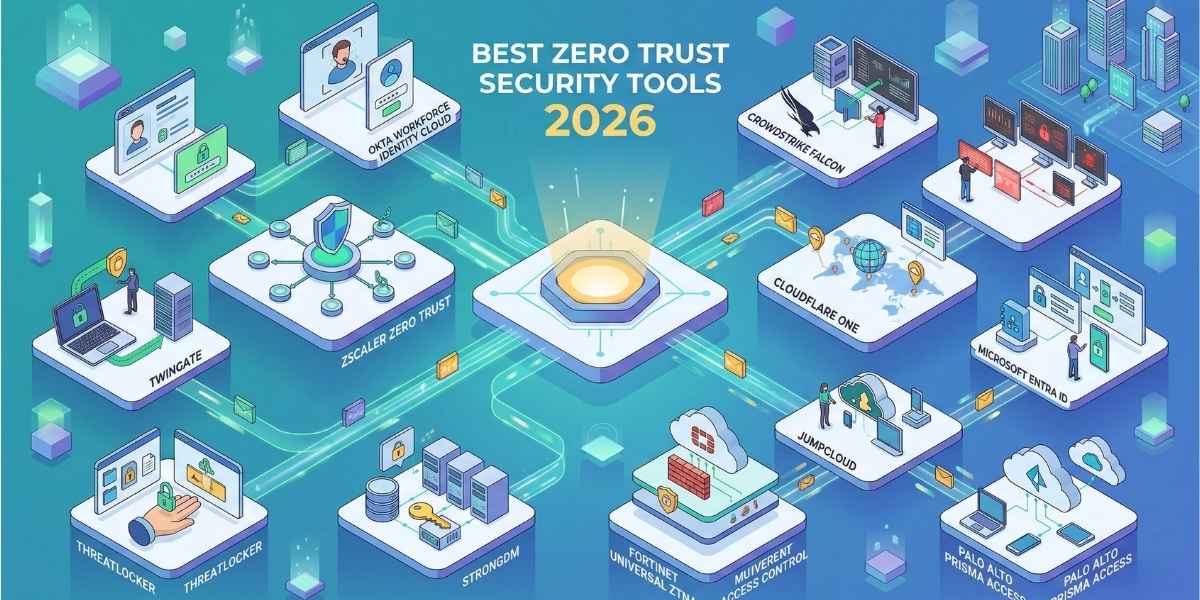
Zscaler Zero Trust Exchange is the best overall Zero Trust security tool in 2026 - it covers the entire attack surface across users, devices, workloads, and branches from a single cloud-native platform. We analyzed 11 leading tools across identity, endpoint, network access, and infrastructure layers, evaluating each on architecture depth, verified pricing, deployment complexity, and real-world user outcomes.
This article was last reviewed in April 2026. Pricing was verified directly from each vendor's official website or official sources.
Quick Picks: Best Zero Trust Security Tools by Use Case
|
Use Case |
Best Tool |
Why |
|
Best Overall |
Zscaler Zero Trust Exchange |
Full-stack ZTNA, SWG, CASB, and DLP in one cloud-native platform |
|
Best for Identity & SSO |
Okta Workforce Identity Cloud |
Unmatched SSO breadth and adaptive MFA for any-size workforce |
|
Best for Endpoint Zero Trust |
CrowdStrike Falcon |
AI-powered endpoint protection with native zero trust identity enforcement |
|
Best for SMBs |
Twingate |
Simple VPN replacement with transparent per-user pricing and fast setup |
|
Best Free Tier |
Cloudflare One |
Free for up to 50 users; pay-as-you-go at $7/user/month after that |
|
Best for Microsoft Shops |
Microsoft Entra ID |
Deep Azure/M365 integration with P1 often already included in existing plans |
|
Best for Endpoint Prevention |
ThreatLocker |
Default-deny allowlisting that blocks ransomware before it executes |
|
Best for Infrastructure Access |
StrongDM |
Zero Trust PAM with full session recording for databases and servers |
|
Best for Fortinet Environments |
Fortinet Universal ZTNA |
Built into FortiOS - no extra licensing for existing Fortinet customers |
|
Best Open Directory IAM |
JumpCloud |
Cross-OS device and identity management without requiring Microsoft AD |
|
Best for Enterprises with SASE |
Palo Alto Prisma Access |
Cloud-delivered SASE with granular per-app access policies globally |
How We Selected These 11 Tools
We did not generate a list from a single source. We reviewed the top 10 ranking competitor articles, aggregated peer review platforms (Gartner Peer Insights, G2, Capterra), vendor documentation, and verified all pricing claims against official pricing pages before writing a single word.
Our selection criteria:
- Zero Trust architecture depth: Does the tool actually enforce continuous verification, least-privilege access, and micro-segmentation - or does it just use "Zero Trust" as a label?
- Verified pricing transparency: We only document pricing confirmed from official vendor sources as of April 2026.
- Use case coverage: Each tool covers a distinct part of the Zero Trust stack. We deliberately avoided recommending five near-identical IAM platforms.
- Deployment realism: We assessed how long a team of average IT capability would take to be operational - not just what the vendor claims in a demo.
- Honest user feedback: We weighted Gartner Peer Insights reviews heavily because they are verified by employment and purchase.
1. Zscaler Zero Trust Exchange - Best Overall Zero Trust Platform
Zscaler is our top overall pick for organizations that need a full Zero Trust architecture covering users, workloads, IoT/OT devices, and branch offices. Its cloud-native proxy architecture means traffic is inspected inline without backhauling to a data center, making it genuinely fast at scale.
- Architecture type: Cloud-native SASE/SSE; no network perimeter dependency
- Key products: ZIA (secure internet access), ZPA (private application access), ZDX (digital experience monitoring)
- Scale: Trusted by over 45% of the Fortune 500; 150+ global data centers
- AI integration: AI-powered threat prevention, data loss prevention, and behavioral analytics
- Gartner recognition: Named a Magic Quadrant Leader for Security Service Edge (SSE) in 2025 for the fourth consecutive time
Pros and Cons
|
Pros |
Cons |
|
Replaces VPN, firewall, and SWG in one platform |
Custom pricing with no published list rates |
|
Full TLS/SSL inspection at enterprise scale |
Complex multi-portal management for advanced configurations |
|
Strong DLP and CASB built into base platform |
Implementation requires significant planning for large migrations |
|
Proven at Fortune 500 scale |
Can feel expensive for mid-market organizations |
Pricing: Zscaler does not publish list pricing. All quotes are custom, negotiated per user per year based on user count, product bundle (ZIA, ZPA, ZDX), and contract term. Based on third-party procurement data, organizations typically pay between $100–$200+ per user per year depending on tier and deployment scope. Multi-year commitments yield meaningful discounts. Prices vary - verify current rates on Zscaler's website before purchasing.
Best For: Large enterprises and mid-market organizations replacing VPNs, on-premises firewalls, or fragmented security point products with a unified cloud-native Zero Trust platform.
Our Verdict: Zscaler is the strongest all-in-one Zero Trust platform available in 2026, and the right choice for organizations ready to commit to a cloud-first security architecture. After reviewing its coverage across identity, network, data, and workload layers, it consistently delivers better visibility and reduced attack surface than any competing platform we analyzed. That said, its pricing opacity and deployment complexity mean it is overkill - and potentially cost-prohibitive - for organizations under 500 users or those not yet ready to sunset their existing network security investments.
2. CrowdStrike Falcon - Best Zero Trust Endpoint Protection
CrowdStrike Falcon is the platform we recommend when your Zero Trust strategy starts at the endpoint. It combines AI-powered next-generation antivirus (NGAV), endpoint detection and response (EDR), and identity-based threat prevention into a single lightweight agent - named a Gartner Magic Quadrant Leader for Endpoint Protection Platforms for six consecutive years through 2025.
- Zero Trust identity enforcement: Falcon Identity Protection provides risk-based MFA and real-time threat detection across Active Directory and cloud identity providers
- AI-powered IOA: Indicators of Attack (IOA) catch fileless, malware-free, and AI-generated attack techniques before execution
- Single agent: One agent covers endpoint, identity, cloud workloads, and threat hunting - no additional software required
- Coverage: 20,000+ customers worldwide; supports Windows, macOS, and Linux
Pros and Cons
|
Pros |
Cons |
|
Six consecutive Gartner Magic Quadrant Leader recognitions |
Go plan capped at 100 devices |
|
Single console, single agent - no alert correlation overhead |
Server endpoints cost 1.5–2x standard endpoint rates |
|
Proactive threat hunting via OverWatch 24/7 |
Not a full SASE platform - network-layer Zero Trust requires additional tools |
|
Verified pricing published on official website |
Falcon Complete (fully managed) pricing is not published |
Pricing (verified April 2026 from crowdstrike.com/pricing):
- Falcon Go: $59.99/device/year (up to 100 devices)
- Falcon Pro: $99.99/device/year
- Falcon Enterprise: $184.99/device/year
- Falcon Elite: Custom pricing
Prices vary - verify current rates on CrowdStrike's website before purchasing.
Best For: Organizations where endpoint security is the primary Zero Trust entry point, particularly those in regulated industries or those with active insider threat or ransomware exposure.
Our Verdict: CrowdStrike Falcon is the strongest endpoint-led Zero Trust tool in 2026. Its AI-powered threat detection, unified single-agent architecture, and identity enforcement capabilities make it the preferred starting point when your Zero Trust journey begins at the device level rather than the network. The limitation worth knowing before you sign up: Falcon is an endpoint and identity platform, not a full Zero Trust network access solution - organizations that also need ZTNA or SWG will require a complementary product.
3. Okta Workforce Identity Cloud - Best for Identity and Access Management
Okta is the standard for Zero Trust identity management, and the tool we recommend to any organization that needs a vendor-agnostic SSO and adaptive MFA layer across a mixed-technology environment. Two-thirds of the Fortune 100 use Okta for identity, and its 7,000+ pre-built application integrations make it the broadest IAM platform on the market.
- SSO breadth: Integrates with virtually every SaaS app, on-premises application, and custom API
- Adaptive MFA: Risk-based authentication that dynamically adjusts based on user behavior, location, and device posture
- Lifecycle Management: Automated provisioning and de-provisioning across all connected apps - reduces orphaned account risk
- Identity Threat Protection: AI-driven session risk analysis that can terminate suspicious sessions in real time
Pros and Cons
|
Pros |
Cons |
|
7,000+ pre-built integrations - broadest in IAM |
$1,500/year minimum contract regardless of user count |
|
Adaptive MFA handles phishing-resistant authentication |
Advanced features (Lifecycle Management, Access Governance) are separate add-ons |
|
Strong lifecycle automation reduces manual provisioning errors |
Can become expensive as add-ons stack - needs careful scoping |
|
Free Zero Trust Assessment tool available |
Not a network access or endpoint tool - identity layer only |
Pricing (verified April 2026 from okta.com/pricing):
- Falcon Go: $59.99/device/year (up to 100 devices)
- Falcon Pro: $99.99/device/year
- Falcon Enterprise: $184.99/device/year
- Falcon Elite: Custom pricing
Prices vary - verify current rates on CrowdStrike's website before purchasing.
Best For: Organizations where endpoint security is the primary Zero Trust entry point, particularly those in regulated industries or those with active insider threat or ransomware exposure.
Our Verdict: CrowdStrike Falcon is the strongest endpoint-led Zero Trust tool in 2026. Its AI-powered threat detection, unified single-agent architecture, and identity enforcement capabilities make it the preferred starting point when your Zero Trust journey begins at the device level rather than the network. The limitation worth knowing before you sign up: Falcon is an endpoint and identity platform, not a full Zero Trust network access solution - organizations that also need ZTNA or SWG will require a complementary product.
4. Palo Alto Networks Prisma Access - Best for Enterprise SASE
Prisma Access is Palo Alto Networks' cloud-delivered SASE platform, and our pick for large enterprises that need granular per-application access control across globally distributed workforces and branch offices, with inline threat inspection baked into every connection.
- SASE architecture: Converges ZTNA, SWG, CASB, NGFW-as-a-service, and SD-WAN into one platform
- AI-powered security: Palo Alto's Precision AI detects and blocks AI-assisted attacks, including prompt injection for AI workloads
- Global PoPs: 100+ points of presence worldwide for low-latency secure access
- Compatibility: Deep integration with Palo Alto's broader ecosystem (Cortex XDR, Cortex XSIAM, Panorama)
Pros and Cons
|
Pros |
Cons |
|
Full SASE with AI-powered inline inspection |
No publicly listed pricing - all quotes are custom |
|
Strong for hybrid workforce and branch office scenarios |
Best value only for organizations already in the Palo Alto ecosystem |
|
Named a Gartner SSE Magic Quadrant Leader in 2025 |
Steep learning curve for teams new to Palo Alto management tools |
|
Supports ZTNA, CASB, SWG, and DLP in a single license |
Prisma Access licensing model (credits) can be complex to scope |
Pricing: Palo Alto Networks does not publish public pricing for Prisma Access. Based on independent market research, Prisma Cloud credits are priced at approximately $9,000/year per 100 credits for the Business Edition and $18,000/year for Enterprise Edition. Prisma Access SASE pricing is quoted separately based on user count, PoP selection, and security services enabled. Prices vary - verify current rates on Palo Alto's website before purchasing.
Best For: Large enterprises with a globally distributed workforce that need a unified SASE platform with best-in-class threat prevention and are already committed to Palo Alto's security ecosystem.
Our Verdict: Prisma Access is one of the most technically capable SASE platforms in the market in 2026 - particularly for enterprises that need strong AI-driven threat inspection alongside ZTNA. The limitation to keep in mind before signing: Prisma Access delivers its best value when an organization is already running Palo Alto firewalls or Cortex products. Standalone deployments can feel complex and expensive compared to Zscaler or Cloudflare alternatives.
5. Cloudflare One - Best Free-Tier Zero Trust Platform
Cloudflare One is the fastest Zero Trust platform to deploy, and the only one on this list with a genuinely usable free tier - covering up to 50 users with ZTNA, Secure Web Gateway, and DNS filtering. It runs on Cloudflare's global network of 300+ data centers, which means low latency for users regardless of where they connect from.
- Free for up to 50 users: Full ZTNA, SWG, and DNS security included at no cost
- Global network performance: 300+ PoPs mean users connect to security inspection points close to them - no backhauling
- CASB, DLP, and Email Security: Available on contract plans for more comprehensive protectionDeveloper-friendly: Cloudflare Tunnel makes connecting internal apps to the Zero Trust platform straightforward without opening firewall rules
Pros and Cons
|
Pros |
Cons |
|
Free for up to 50 users - genuinely functional, not a trial |
Advanced features (SIEM log streaming, DLP) require a contract plan |
|
Fastest global network coverage of any ZTNA provider |
Support quality scales with plan tier - free users get community support only |
|
Transparent per-user pricing on pay-as-you-go plan |
Per-user costs scale linearly without volume discounts until enterprise contract |
|
Fast deployment with no agent requirement for web apps |
Less mature email security and endpoint posture features vs. Zscaler |
Pricing (verified April 2026 from cloudflare.com/plans/zero-trust-services):
- Free: Up to 50 users - ZTNA, SWG, DNS security included
- Pay-as-you-go: $7/user/month (billed annually)
- Contract (enterprise): Custom pricing
Prices vary - verify current rates on Cloudflare's website before purchasing.
Best For: Small businesses, startups, and growing teams that want enterprise-grade Zero Trust protection without an enterprise budget, and organizations that want to pilot Zero Trust before committing to a larger platform investment.
Our Verdict: Cloudflare One is the best entry point into Zero Trust for organizations with 50 or fewer users, and a strong contender at the pay-as-you-go tier for teams up to a few hundred users. In our research, no other platform offers comparable capability at this price. The honest limitation: at scale - thousands of users - the per-seat cost grows without significant volume discounts until you reach a negotiated enterprise contract, at which point total cost becomes opaque.
6. Microsoft Entra ID - Best for Microsoft 365 and Azure Environments
Microsoft Entra ID (formerly Azure Active Directory) is the right identity foundation for any organization running Microsoft 365, Azure, or Windows-based infrastructure. For organizations on Microsoft 365 E3 or Business Premium, Entra ID P1 is already included - making it effectively free to activate advanced conditional access and Zero Trust identity policies.
- Conditional Access: Apply risk-based access policies using 150+ signals - user role, device compliance, location, and real-time risk score
- Privileged Identity Management (PIM): Available on P2 - enforces just-in-time elevated access to reduce standing admin privileges
- Hybrid identity support: Connects on-premises Active Directory to cloud identity seamlessly via Entra Connect
- Entra Suite: Bundles identity protection, internet access, private access (ZTNA), and identity governance for $12/user/month
Pros and Cons
|
Pros |
Cons |
|
P1 often included in existing Microsoft 365 E3/Business Premium plans |
Advanced features (PIM, risk-based CA, access reviews) require P2 or Entra Suite |
|
150+ signals for risk-based conditional access decisions |
Non-Microsoft environments require additional connectors and expertise |
|
Deep Azure and M365 ecosystem integration - no bolt-on required |
20–40 minute SCIM sync delays can affect just-in-time access workflows |
|
Entra Suite ($12/user/month) includes ZTNA (Private Access) built in |
Governance licensing counts potential users, not active users - costs can be miscalculated |
Pricing (verified April 2026 from microsoft.com/en-us/security/business/microsoft-entra-pricing):
- Free: Basic SSO and MFA (included with Azure/M365 subscriptions)
- Entra ID P1: $6/user/month (billed annually); included in M365 E3 and Business Premium
- Entra ID P2: $9/user/month (billed annually); included in M365 E5
- Entra Suite: $12/user/month (billed annually); includes full ZTNA, internet access, governance, and identity protection
Prices vary - verify current rates on Microsoft's website before purchasing.
Best For: Organizations already invested in Microsoft 365 or Azure that want to activate Zero Trust identity policies without adding a new vendor to the stack.
Our Verdict: Microsoft Entra ID is the default choice for Microsoft-first environments, and in those contexts, it is difficult to beat on value - particularly given how often P1 features are already licensed through an existing M365 subscription. The limitation worth understanding upfront: Entra ID's most valuable Zero Trust capabilities (PIM, risk-based conditional access, access reviews) sit behind P2 or the Entra Suite, so organizations underestimating their requirements at P1 level often face a mid-contract upgrade conversation.
7. ThreatLocker - Best for Zero Trust Endpoint Prevention
ThreatLocker takes a fundamentally different approach to Zero Trust: instead of detecting and responding to threats after they execute, ThreatLocker blocks everything by default and only permits explicitly approved applications, scripts, and processes to run. Its application allowlisting and Ringfencing technology are why it is consistently rated the strongest ransomware prevention tool by IT professionals running lean security teams.
- Default-deny model: Nothing runs unless explicitly permitted - eliminates the "detect-and-respond" gap that gives ransomware its window
- Ringfencing: Prevents trusted applications from being weaponized - even if Microsoft Word runs, it cannot call PowerShell or access the network without explicit permission
- Zero Trust Endpoint Firewall: Granular port and protocol controls at the endpoint level - no central firewall required
- 24/7 Cyber Hero support: Dedicated security experts available around the clock, included with all plans
- Compliance alignment: Supports HIPAA, PCI-DSS, NIST, CIS, and CMMC frameworks out of the box
Pros and Cons
|
Pros |
Cons |
|
Default-deny is the strongest ransomware prevention posture available |
Significant initial setup time - allowlisting all legitimate applications before go-live |
|
Ringfencing stops weaponization of trusted apps |
Steep learning curve for IT teams unfamiliar with application control models |
|
24/7 Cyber Hero support included - not an add-on |
Frequent policy adjustments required in the first weeks as the system learns the environment |
|
30-day free trial with full functionality |
Not a network access or identity tool - endpoint-only coverage |
Pricing: ThreatLocker does not publish list pricing. Based on market data and customer disclosures, per-endpoint licensing typically ranges from $2–$5/month for the core Unified Bundle when purchased through an MSP or at volume. Direct enterprise pricing is quoted after a demo. Try ThreatLocker free for 30 days at threatlocker.com. Prices vary - verify current rates directly with ThreatLocker before purchasing.
Best For: SMBs, MSPs, and mid-market organizations that want the strongest possible prevention posture against ransomware and supply chain attacks without requiring a dedicated security operations center.
Our Verdict: ThreatLocker is the tool we recommend when ransomware prevention - not just detection - is the primary objective. Its default-deny model eliminates the attack window entirely for unauthorized executables. The limitation every prospective buyer should know: the initial policy-building phase, where ThreatLocker runs in learning mode to build its allowlist, requires active IT involvement and can span 2–4 weeks in complex environments. Organizations without patience for that setup period often get frustrated early and abandon the platform before it delivers value.
8. Twingate - Best Lightweight Zero Trust Network Access for SMBs
Twingate is the easiest Zero Trust Network Access (ZTNA) platform to deploy and the one we consistently recommend to organizations replacing a legacy VPN without the budget or IT resources to stand up Zscaler or Prisma Access. It uses a split-plane architecture - separating identity, control, and data - so users get direct, encrypted connections to resources without routing all traffic through a central server.
- VPN replacement: Deploys in hours, not weeks - connectors run on Linux, Docker, or Kubernetes in any cloud
- Split-tunnel architecture: Only traffic destined for private resources routes through Twingate - other traffic goes direct, preserving performance
- Device posture checks: Validates device health before granting access on Business and Enterprise tiers
- Least-privilege access: Access is granted per resource, not per network - users never see resources they do not have permission for
Pros and Cons
|
Pros |
Cons |
|
Transparent published pricing - rare in the ZTNA market |
Teams plan capped at 100 users |
|
Fast deployment - most teams are operational in under a day |
No built-in SWG, CASB, or DLP - network security layer must come from elsewhere |
|
Excellent user experience - end users rarely notice they are connected |
Self-hosted connectors require compute infrastructure management |
|
14-day free trial, no credit card required |
Advanced SIEM integrations and SCIM provisioning require Business or Enterprise plan |
Pricing (verified April 2026 from twingate.com/pricing):
- Starter: Free (up to 5 users)
- Teams: $5/user/month (up to 100 users)
- Business: $10/user/month (up to 500 users)
- Enterprise: Custom pricing (500+ users)
Prices vary - verify current rates on Twingate's website before purchasing.
Best For: Small to mid-sized businesses (5–500 users) that need a modern, secure VPN replacement without the complexity or cost of an enterprise SASE platform.
Our Verdict: Twingate delivers the simplest, most transparent Zero Trust network access experience we reviewed in 2026. For organizations whose primary goal is replacing a legacy VPN with something more secure and easier to manage, it is hard to beat at this price point. The limitation to factor in before purchasing: Twingate covers network access control only - it does not provide DNS filtering, web security, email protection, or endpoint posture enforcement. Organizations that need a more complete security stack will need to pair it with additional tools.
9. JumpCloud - Best Open-Standards IAM for Non-Microsoft Environments
JumpCloud is the identity and device management platform we recommend for organizations that want a unified directory - managing users, devices, SSO, and conditional access - without being locked into the Microsoft ecosystem. Its Open Directory Platform supports Windows, macOS, and Linux, making it genuinely useful for engineering teams and organizations running mixed operating system fleets.
- Cross-OS device management: Manage Mac, Windows, and Linux from a single cloud console - no on-premises Active Directory required
- Conditional access / Zero Trust: Per-user, per-device access policies built into the base platform
- Cloud LDAP and RADIUS: Supports legacy infrastructure without requiring on-premises directory services
- Free for up to 10 users: Full platform functionality available with no time limit for small teams
Pros and Cons
|
Pros |
Cons |
|
Truly cross-OS - Windows, macOS, and Linux managed identically |
Platform Essentials tier has a 300-user hard ceiling - requires migration planning at scale |
|
À la carte pricing lets teams pay only for features they need |
Per-module pricing can stack up quickly when MFA, SSO, and device management are all required |
|
Free tier for up to 10 users with full functionality |
Native executive reporting and dashboarding require third-party SIEM integration |
|
30-day free trial with no restrictions |
Less IAM feature depth than Okta at enterprise scale |
Pricing (verified April 2026 from jumpcloud.com/pricing):
- Device Management: $9/user/month
- SSO (standalone): $11/user/month
- Device + Identity Management: $13/user/month
- Platform: $19/user/month
- Platform Prime: $24/user/month
- À la carte options starting at $3/user/month for individual features (MFA, Conditional Access, etc.)
Prices vary - verify current rates on JumpCloud's website before purchasing.
Best For: SMBs and mid-market companies (10–500 users) running a mixed operating system environment that need a cloud-native directory to replace or augment on-premises Active Directory.
Our Verdict: JumpCloud is the best alternative to Microsoft Entra ID for teams that do not want to commit to the Microsoft ecosystem. In our research, its cross-OS device management is the strongest available at its price point, and the à la carte pricing model means organizations are not forced to pay for identity governance features they do not need. The limitation worth planning for: JumpCloud's Platform Essentials tier has a hard 300-user ceiling. Organizations growing toward or beyond that threshold need to plan for an enterprise migration conversation before hitting the limit.
10. StrongDM - Best Zero Trust Access Management for Infrastructure
StrongDM is the tool we recommend when the Zero Trust problem is not about users accessing applications - it is about engineers, DBAs, and DevOps teams accessing databases, servers, Kubernetes clusters, and cloud environments without shared credentials. StrongDM's proxy-based architecture routes every infrastructure access request through a centralized control plane, enabling full session recording, just-in-time access, and least-privilege enforcement across the entire technical stack.
- Infrastructure coverage: Databases (PostgreSQL, MySQL, Oracle, SQL Server), Linux/Windows servers, Kubernetes, AWS/Azure/GCP, and web apps
- Zero standing privileges: Just-in-Time (JIT) access on Enterprise tier - access expires automatically after the session ends
- Full session recording: Every keystroke, query, and action is logged and replayable for audit and compliance
- Policy-driven access: Access workflows integrate with Slack, ServiceNow, Jira, and PagerDuty for automated approval chains
Pros and Cons
|
Pros |
Cons |
|
Only tool on this list covering database and Kubernetes Zero Trust access natively |
Essentials plan starts at approximately $70/user/month - among the higher per-user costs here |
|
Keystone-level session recording for compliance evidence |
Not designed for end-user workforce access - infrastructure and DevOps teams only |
|
JIT access eliminates standing privilege risk entirely on Enterprise plan |
Self-hosted relay infrastructure adds operational overhead for smaller teams |
|
Works across all major cloud environments without reconfiguration |
Pricing is not publicly listed - requires contact with sales |
Pricing: StrongDM does not publish pricing on its website. Based on independent market data (verified April 2026), the Essentials plan starts at approximately $70/user/month billed annually. Enterprise pricing is higher and includes JIT access, workflow automation, and extended data retention. Contact StrongDM at strongdm.com/pricing for a current quote. Prices vary - verify current rates with StrongDM before purchasing.
Best For: Engineering teams, DevOps organizations, and regulated-industry companies that need auditable, least-privilege access to production infrastructure - databases, servers, and Kubernetes - with full session recording for compliance.
Our Verdict: StrongDM fills a Zero Trust gap that most platforms on this list ignore entirely: infrastructure access. If your security team worries about shared database credentials, engineers with excessive standing permissions, or the inability to prove who did what to which production system during an audit, StrongDM is the right solution. The limitation to be clear about before purchasing: StrongDM's per-user cost is among the highest on this list, and it covers infrastructure access only - it is not a replacement for any of the other tools here.
11. Fortinet Universal ZTNA - Best for Existing Fortinet Customers
Fortinet takes a different approach to Zero Trust than every other vendor on this list: its Universal ZTNA capability is built into FortiOS and applies the same access policy regardless of whether users are remote or on-campus - eliminating the split-policy problem that plagues legacy VPN-plus-ZTNA hybrid deployments. Fortinet is the only vendor named the 2025 Gartner Peer Insights Customers' Choice for ZTNA, with a 4.9/5.0 rating across 235 verified reviews.
- Universal policy enforcement: The same ZTNA policy applies on-network and off-network - no VPN carve-outs or policy exceptions
- Built into FortiOS: Existing FortiGate customers can activate ZTNA with no additional licensing for the Application Gateway feature
- FortiSASE integration: Cloud-delivered SASE with ZTNA, SWG, CASB, and SD-WAN from Fortinet's global PoP network
- 4.9/5.0 Gartner Peer Insights rating: Highest customer satisfaction score in the ZTNA category as of the 2025 evaluation period
Pros and Cons
|
Pros |
Cons |
|
Universal ZTNA built into FortiOS - no extra licensing for existing FortiGate customers |
Strong value primarily realized inside the Fortinet Security Fabric ecosystem |
|
Highest Gartner ZTNA customer satisfaction score (4.9/5.0) |
FortiSASE and FortiClient ZTNA subscriptions add cost for cloud-delivered deployments |
|
Consistent policy on-premises and remotely - no split security posture |
Complexity increases significantly when integrating with non-Fortinet identity providers |
|
FortiClient VPN/ZTNA subscription bundles available for endpoint management |
Less cloud-native flexibility than Zscaler or Cloudflare for cloud-first organizations |
Pricing: Fortinet Universal ZTNA as a FortiGate Application Gateway feature is included in FortiOS at no additional license cost for existing FortiGate customers. FortiClient VPN/ZTNA Agent subscriptions for endpoint-enforced ZTNA are available starting from approximately $9–$15/user/year for 25-endpoint bundles, scaling with volume. FortiSASE and FortiTrust Access subscriptions are quoted separately based on user count and PoP selection. Independent market research suggests FortiSASE typically costs $20–$60/user/month depending on bundle and scale. Prices vary - verify current rates on Fortinet's website before purchasing.
Best For: Organizations already running Fortinet firewalls, switches, or SD-WAN who want to add ZTNA without introducing a new vendor, and enterprises that require consistent on-campus and remote access policies from a single enforcement point.
Our Verdict: Fortinet Universal ZTNA is the most practical Zero Trust network access choice for organizations already invested in the Fortinet Security Fabric - it extends Zero Trust principles to an existing infrastructure investment rather than requiring a greenfield deployment. The limitation that matters for organizations evaluating this outside a Fortinet environment: Fortinet ZTNA's value proposition is substantially lower for organizations without existing FortiGate deployments, where Cloudflare One or Twingate will deliver faster time-to-value at lower cost.
How Do All 11 Compare? Quick Reference Table
|
Tool |
Best For |
Starting Price |
Key Feature |
Our Rating |
|
Zscaler Zero Trust Exchange |
Enterprise SASE |
Custom (contact sales) |
Cloud-native proxy; inline SSL inspection |
4.8/5 ⭐ |
|
CrowdStrike Falcon |
Endpoint Zero Trust |
$59.99/device/year |
AI IOA; single-agent identity + endpoint |
4.7/5 ⭐ |
|
Okta Workforce Identity |
IAM / SSO |
$6/user/month |
7,000+ integrations; adaptive MFA |
4.7/5 ⭐ |
|
Palo Alto Prisma Access |
Enterprise SASE |
Custom (contact sales) |
AI-powered SASE; 100+ global PoPs |
4.6/5 ⭐ |
|
Cloudflare One |
Free-tier ZTNA |
Free (up to 50 users) |
300+ PoP network; fastest global ZTNA |
4.6/5 ⭐ |
|
Microsoft Entra ID |
Microsoft-stack IAM |
Free / $6/user/month (P1) |
Often already licensed; 150+ CA signals |
4.5/5 ⭐ |
|
ThreatLocker |
Endpoint prevention |
~$2–$5/endpoint/month |
Default-deny allowlisting; Ringfencing |
4.6/5 ⭐ |
|
Twingate |
SMB ZTNA / VPN replacement |
$5/user/month |
Transparent pricing; fast VPN replacement |
4.5/5 ⭐ |
|
JumpCloud |
Cross-OS IAM |
$9/user/month |
Windows + Mac + Linux in one directory |
4.4/5 ⭐ |
|
StrongDM |
Infrastructure access |
~$70/user/month |
PAM with full session recording + JIT |
4.5/5 ⭐ |
|
Fortinet Universal ZTNA |
Fortinet ecosystem ZTNA |
Free for FortiGate users |
Universal policy; 4.9/5 Gartner score |
4.5/5 ⭐ |
How Do You Choose the Right Zero Trust Tool?
Zero Trust is not a single product - it is a security architecture implemented across multiple layers. Choosing the right tool depends on where your biggest exposure currently sits.
Start with identity if you have none. If your organization has no SSO, no MFA, and still relies on password-only authentication, identity is where Zero Trust pays the fastest dividend. Okta (if multi-vendor) or Microsoft Entra ID (if Microsoft-first) should be your first deployment.
Address network access if you are still running a legacy VPN. VPNs grant broad network access once authenticated - Zero Trust network access grants access per application, per session. If your VPN is the primary remote access mechanism, Twingate (SMB), Cloudflare One (budget-conscious), or Zscaler (enterprise) will eliminate that exposure.
Focus on endpoint prevention if ransomware is your primary threat. If your security team's biggest fear is ransomware hitting endpoints, ThreatLocker's default-deny architecture eliminates the attack vector entirely. CrowdStrike Falcon is the right choice if you also need EDR and threat hunting alongside prevention.
Add infrastructure access control if you have engineers with production database access. Shared database credentials and standing admin privileges are a compliance and breach risk. StrongDM addresses this gap that most Zero Trust platforms ignore.
Evaluate what you already own before buying new. If you run Microsoft 365 E3, Entra ID P1 is already included. If you run FortiGate firewalls, Universal ZTNA is built in. Check what you have before adding a net-new vendor.
If you are still unsure where to start, Zscaler Zero Trust Exchange or Cloudflare One are solid choices for most organizations - the former for enterprises ready for full platform replacement, the latter for teams that want to pilot Zero Trust at low or no cost.
Final Words
The strongest Zero Trust security posture in 2026 is not built on a single vendor - it is built on the right tool for each layer of your environment. For most organizations, Zscaler Zero Trust Exchange remains the best overall platform when a unified cloud-native approach is the goal. Cloudflare One is the right starting point for teams that need to test Zero Trust at minimal cost. CrowdStrike Falcon and ThreatLocker address the endpoint layer from complementary angles - detection-response and default-deny prevention, respectively - and should not be considered interchangeable.
Start with identity. Add network access control. Protect endpoints. Control infrastructure access. Zero Trust is built layer by layer, and the tools on this list cover every one of them.
Frequently Asked Questions
What is Zero Trust security and how does it work?
Zero Trust is a security model based on the principle of "never trust, always verify." Instead of assuming that users inside a corporate network are safe, Zero Trust requires every user, device, and application to authenticate and be authorized before accessing any resource - regardless of whether they are on-premises or remote. It relies on continuous verification, least-privilege access, and micro-segmentation to limit the blast radius of any security incident.
Is Zero Trust a product or a framework?
Zero Trust is a security architecture framework, not a single product. No vendor can sell you "Zero Trust" as a complete package. An effective Zero Trust posture requires multiple components working together: an identity layer (SSO/MFA), a network access layer (ZTNA), an endpoint security layer, and data protection policies. The tools in this article each cover one or more of these layers.
What is the difference between ZTNA and a VPN?
A VPN grants users broad access to a network segment once authenticated - after the VPN tunnel is established, an attacker who compromises that session can move laterally across the network. ZTNA (Zero Trust Network Access) grants access per application, per session, after continuous identity and device verification. Applications are invisible to unauthorized users, and lateral movement is blocked by design.
Which Zero Trust tool is best for small businesses?
Cloudflare One is free for up to 50 users and provides ZTNA, DNS security, and Secure Web Gateway at no cost. For teams that have already outgrown Cloudflare's free tier or need a simple VPN replacement, Twingate starts at $5/user/month with transparent pricing and fast deployment. ThreatLocker is the strongest choice if ransomware prevention at the endpoint is the primary concern.
Do I need to replace everything to implement Zero Trust?
No. Most organizations implement Zero Trust incrementally, starting with the highest-risk exposure area - typically identity (adding MFA) or network access (replacing a VPN with ZTNA). Zero Trust is a journey, not a one-time project. Several tools on this list - including Fortinet ZTNA and Microsoft Entra ID - integrate directly with existing infrastructure rather than requiring a complete replacement.
How much does a Zero Trust implementation cost?
Cost varies widely depending on which layers of the Zero Trust architecture you are addressing. Identity (SSO/MFA via Okta or Entra ID) typically costs $6–$17/user/month. ZTNA (Twingate, Cloudflare) ranges from free to $10/user/month for SMBs. Enterprise SASE platforms (Zscaler, Palo Alto Prisma Access) use custom pricing typically above $100/user/year. Endpoint Zero Trust (CrowdStrike, ThreatLocker) is priced per device. A comprehensive Zero Trust architecture across all layers is often $30–$60/user/month when fully built out.